RobotArm OpenMV 机械臂 — 码垛教程
星瞳科技OpenMV视频教程 - RobotArm机械臂码垛教程!
淘宝产品购买 星瞳OpenMV官方机械臂:星瞳科技 OpenMV品牌店
1. 简介
本教程演示如何使用 OpenMV 摄像头配合机械臂,实现对小物块的视觉识别与自动码垛,支持色块阈值检测与轻量目标检测(FOMO)。
项目代码库:OpenMV-Robot-Arm-Project-Block Grasping and Palletizing
2. 所需文件
main.py:主程序,包含神经网络识别与颜色阈值识别两种方案,通过按键切换trained.tflite:目标检测神经网络模型(FOMO)labels.txt:模型标签文件Robot_arm.py:机械臂控制模块

3. 场景准备
- 本例程使用正常尺寸夹爪:
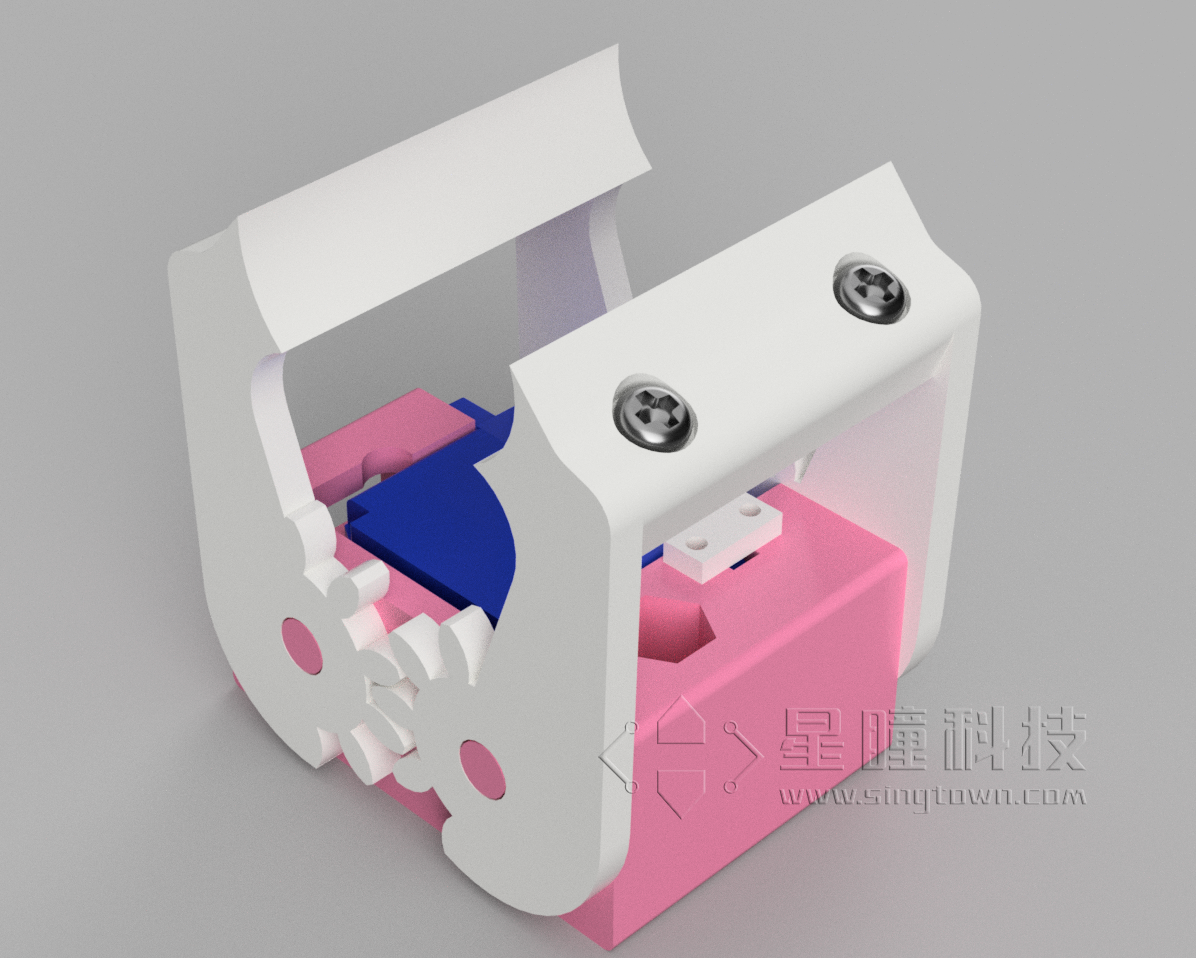
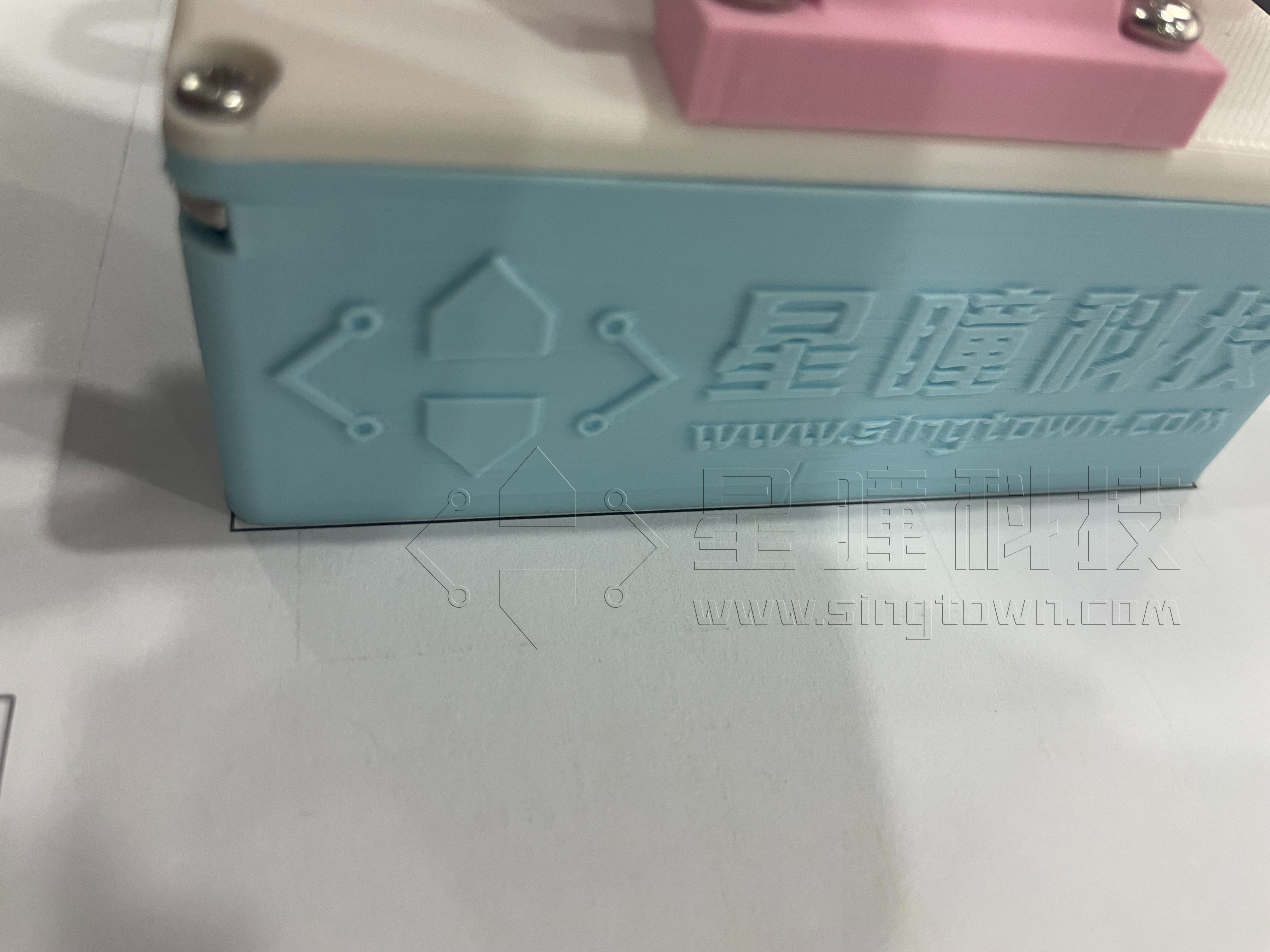
将机械臂放置于地图的方框中央,底座与方框对齐:
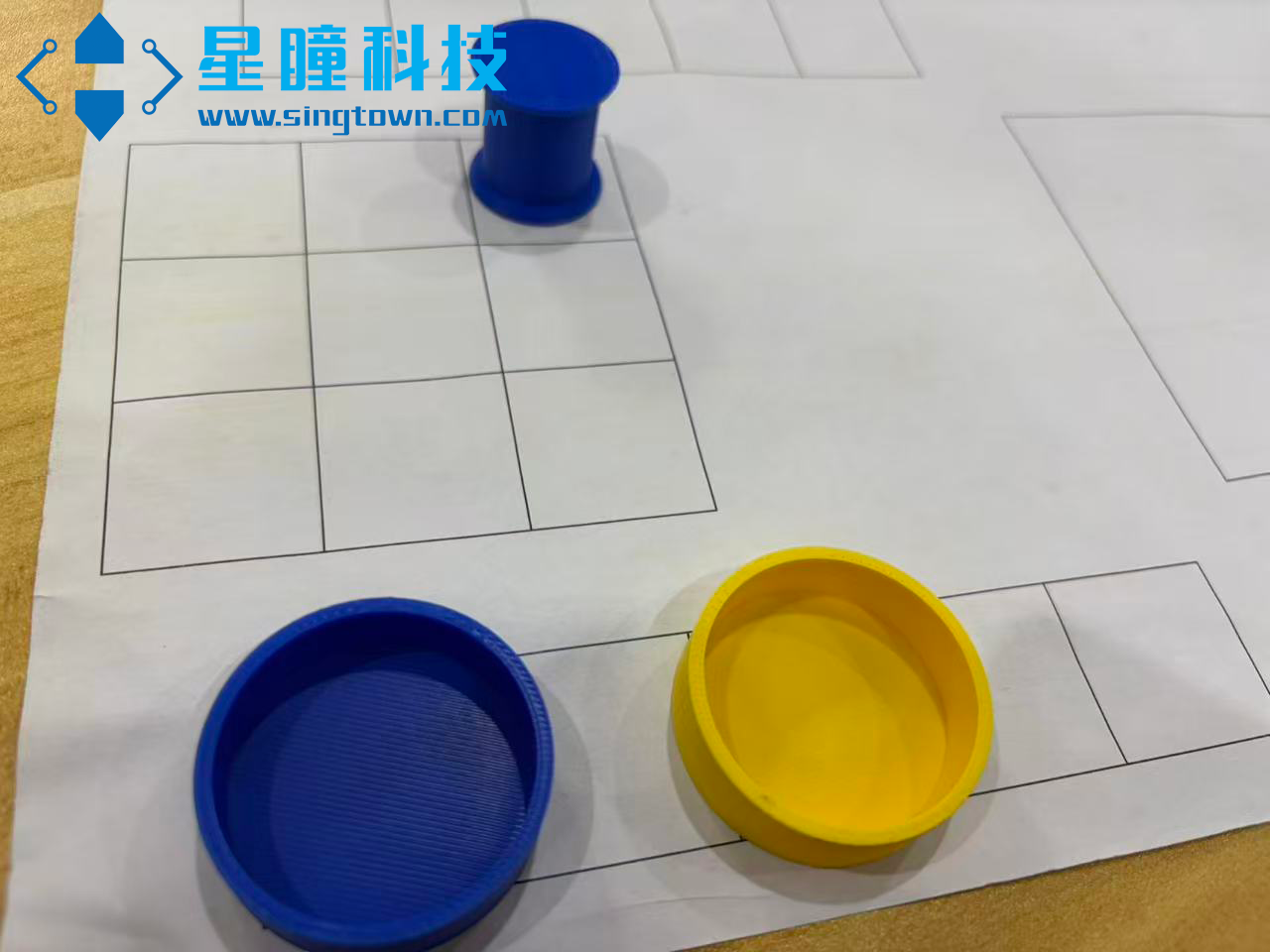
放置目标圆框:
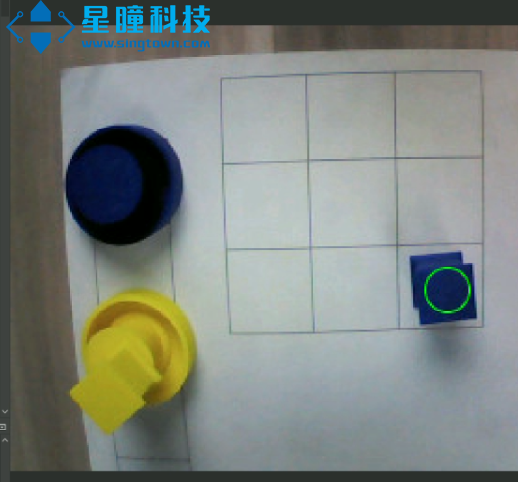
运行代码,将物块放到指定位置后,机械臂可自动识别与码垛:
运行说明:请将
main.py、trained.tflite、labels.txt和Robot_arm.py放入 OpenMV 的 SD 卡目录中。- 按下
2键:使用颜色阈值方式进行分类与码垛(速度快、实现简单) - 按下
1键:使用神经网络方法进行分类与码垛(推荐,泛化能力更强)
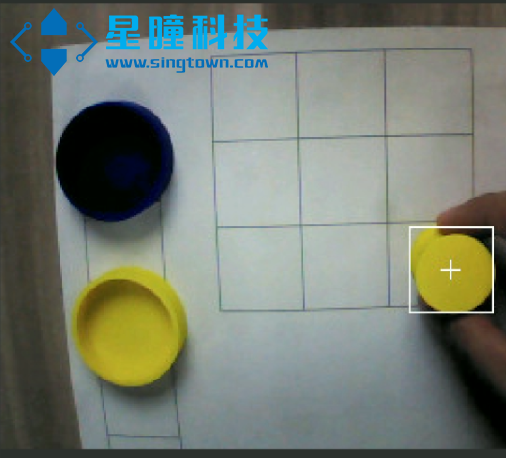
- 按下
目标检测模型训练教程参见: 目标检测 实际道路环境交通标志识别 · OpenMV中文入门教程
4. 识别方案
本例程提供两种识别方案:
- AI(FOMO)目标检测
基于颜色阈值的色块检测(Blobs)
AI:FOMO 目标检测
使用轻量化 FOMO 模型进行目标检测,主要步骤:加载模型与标签、模型后处理、推理并执行动作。
加载模型与标签示例:
# 加载神经网络模型
net = ml.Model("trained.tflite", load_to_fb=uos.stat('trained.tflite')[6] > (gc.mem_free() - (64 * 1024)))
print(net)

# 加载标签(如 ['background', 'blue', 'yellow'])
labels = [line.rstrip('\n') for line in open("labels.txt")]
print(labels)
FOMO 模型后处理示例:
def fomo_post_process(model, inputs, outputs):
    ob, oh, ow, oc = model.output_shape[0]

    x_scale = inputs[0].roi[2] / ow
    y_scale = inputs[0].roi[3] / oh
    scale = min(x_scale, y_scale)
    x_offset = ((inputs[0].roi[2] - (ow * scale)) / 2) + inputs[0].roi[0]
    y_offset = ((inputs[0].roi[3] - (ow * scale)) / 2) + inputs[0].roi[1]

    l = [[] for _ in range(oc)]  # 每个类别一个列表

    for i in range(oc):
        img = image.Image(outputs[0][0, :, :, i] * 255)
        blobs = img.find_blobs(
            threshold_list, x_stride=1, y_stride=1, area_threshold=1, pixels_threshold=1
        )
        for b in blobs:
            rect = b.rect()
            x, y, w, h = rect
            score = img.get_statistics(thresholds=threshold_list, roi=rect).l_mean() / 255.0
            x = int((x * scale) + x_offset)
            y = int((y * scale) + y_offset)
            w = int(w * scale)
            h = int(h * scale)
            l[i].append((x, y, w, h, score))
    return l
主循环(输出结果,并控制机械臂分拣堆叠):
def main_ai():
    while True:
        a = 0  # 连续检测到目标的帧数
        flag = 0
        while True:
            img = sensor.snapshot()  # 拍摄一帧图像
            # 神经网络推理,返回每类物块的检测框
            for i, detection_list in enumerate(net.predict([img], callback=fomo_post_process)):
                if i == 0:
                    continue  # 跳过背景类
                for x, y, w, h, score in detection_list:
                    center_x = math.floor(x + (w / 2))
                    center_y = math.floor(y + (h / 2))
                    if score > 0.5 and center_x > 120:  # 置信度高且在右侧区域
                        flag = labels[i]  # 记录类别
                        a += 1  # 连续检测计数
                        img.draw_circle((center_x, center_y, 12), color=colors[i])  # 标记目标
            if flag != 0 and a >= 20:
                print(flag, a)
                break  # 连续检测到目标 20 帧后,执行机械臂动作
        Robot_move_ai(flag, a)  # 执行分拣与堆叠动作
可调参数说明:
score(置信度阈值):当识别物体的置信度大于指定值时才作为有效检测(例如score > 0.5)若多次调整阈值后识别效果仍差,建议重新训练模型,参考教程: 目标检测 实际道路环境交通标志识别 · OpenMV中文入门教程
色块识别:Blobs 方法
基于颜色阈值的检测适用于颜色差异明显的场景。参考: 寻找色块 · OpenMV中文入门教程
示例主循环:
def main_blobs():
    while True:
        a = 0
        flag = 0
        last_flag = 0
        while True:
            img = sensor.snapshot()  # 拍摄一帧图像
            detected = 0
            # 检测黄色物块
            for blob in img.find_blobs([YELLOW[0]], pixels_threshold=200, area_threshold=200, merge=True, roi=ROI):
                if blob:
                    img.draw_rectangle(blob.rect())
                    img.draw_cross(blob.cx(), blob.cy())
                    flag = 'YELLOW'
                    detected = 1
                    break
            # 检测蓝色物块
            if not detected:
                for blob in img.find_blobs([BLUE[0]], pixels_threshold=200, area_threshold=200, merge=True, roi=ROI):
                    if blob:
                        img.draw_rectangle(blob.rect())
                        img.draw_cross(blob.cx(), blob.cy())
                        flag = 'BLUE'
                        detected = 1
                        break
            # 连续识别逻辑
            if detected:
                if last_flag == flag:
                    a += 1
                else:
                    a = 1
                last_flag = flag
            else:
                a = 0
                flag = 0
                last_flag = 0
            # 达到阈值才判定有效
            if flag != 0 and a >= 40:
                print(flag, a)
                break
        Robot_move_blobs(flag, a)  # 执行分拣与堆叠动作
        a = 0
当色块出现不识别、乱检测或识别不准时,请使用 OpenMV IDE 中的阈值编辑器重新调整阈值:
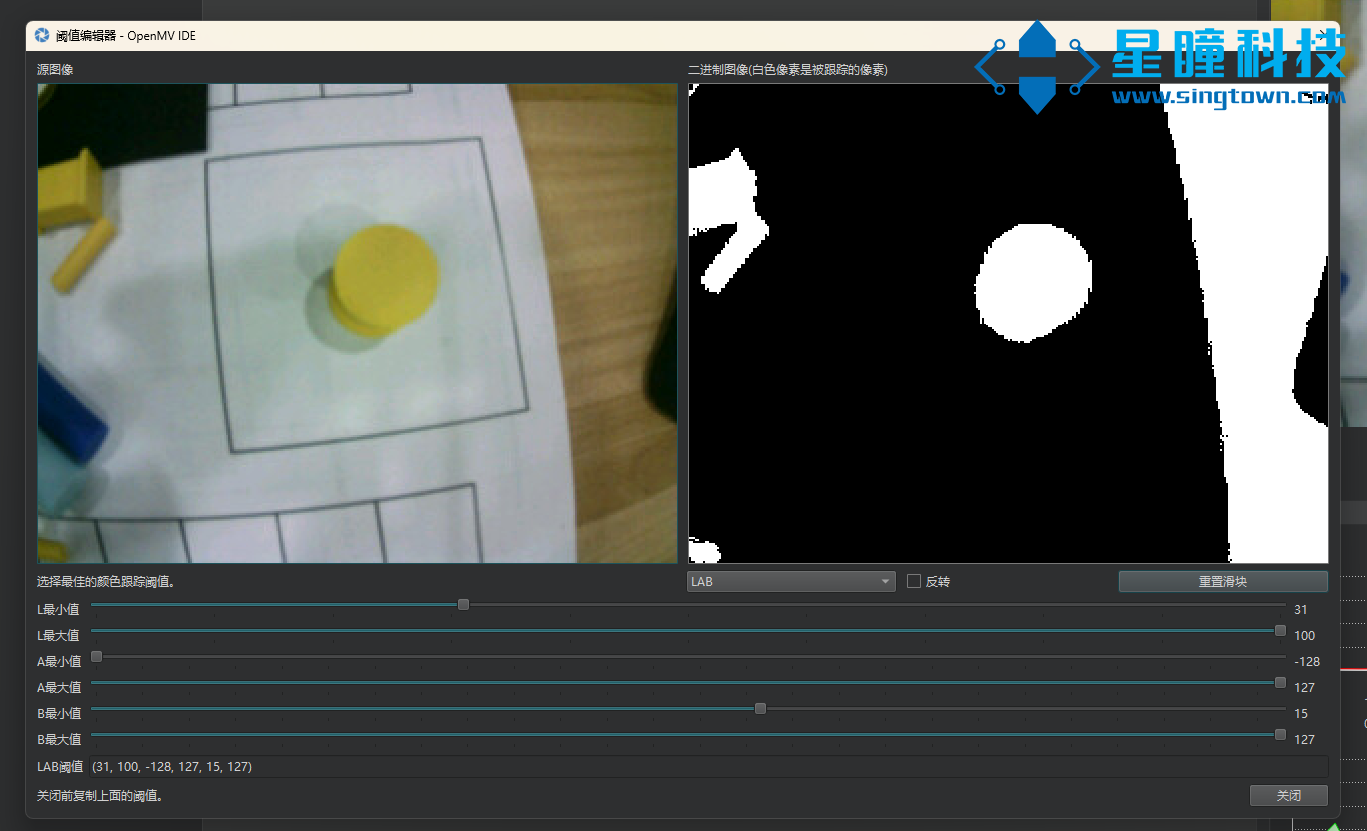
示例阈值覆盖并保存后重启程序:
YELLOW = [(45, 100, -128, 2, 16, 127)]  # 黄色物块 LAB 阈值
BLUE = [(0, 41, -128, 127, -128, 127)]  # 蓝色物块 LAB 阈值
5. 运动与抓取问题
若出现抓不到、放不准、夹不紧等现象,通常为坐标偏差或夹具参数需调整。
可通过修改 Robot_move_blobs(flag, a) 和 Robot_move_ai(flag, a) 中的机械臂运动代码来修正坐标偏差和抓放策略。